
01 · Capture
You decide what is protected
You determine which sources and processes are protected. The suite takes stock of your Microsoft environment and shows what is protected and where there are gaps.
arades product · Business continuity · Operated in Germany
The arades Continuity Suite keeps your most important data from Microsoft 365, Dynamics 365 and Azure ready in a separate environment in German data centers. If Microsoft goes down, your teams carry on with agreed processes there. Once the outage is over, changes to records and documents flow back after review.
The arades Continuity Suite is currently being rolled out in a pilot program with selected companies.
The problem

Microsoft 365 and Dynamics 365 carry the day-to-day business in many companies: mail, Teams, documents, customer data, cases. If a service goes down, through a fault, an attack on your accounts or a misconfiguration, more often comes to a standstill than just one program. A classic backup helps once the outage is over. While it lasts, you cannot work with it.
One service goes down, the rest keeps running. Processes that depend on it stop all the same.
If your Microsoft environment is attacked, you need a trustworthy set of data outside it.
NIS2 requires measures for business continuity, backup and recovery. DORA additionally requires documented and tested exit plans for critical ICT services.
Where the suite comes from
We have been in Microsoft practice since CRM 3.0, and alongside it we build software that keeps running without Microsoft and without us. The Continuity Suite was created at exactly that seam — not as a bet against Microsoft, but as the consequence of both sides of our work.
As a Microsoft licensing partner and Cloud Solution Provider we know what actually sits in Microsoft 365 and Dynamics 365, how the shared responsibility model is cut, and where an availability commitment ends. Without that knowledge a contingency operation cannot be scoped sensibly.
The same stance as in our other proprietary developments: software that belongs to you and keeps running without us. That is why the contingency operation sits outside Microsoft, in German data centers — and why you can also run it in your own environment.
This dual positioning also defines what the suite is not: it is no replacement for Microsoft 365 and no argument against the cloud. We still recommend the platform that fits the task. For the question of what your people work with while that platform is down, we built an answer of our own.
Is this right for us?

What matters is not how big your company is, but how much of your day-to-day business sits in Microsoft. Anyone who only runs e-mail there gets a long way with a good backup and a phone list. Anyone who keeps cases, customer data, contracts and the entire document store there comes to a standstill in a longer outage — and that is the case the suite is built for.
Built for:
Not built for:
For context: A backup and a contingency operation answer different questions — neither replaces the other.
How the Continuity Suite works
The diagram can be scrolled sideways.
You determine which sources and processes are protected. The suite takes stock of your Microsoft environment and shows what is protected and where there are gaps.
Data, documents and relationships are transferred regularly into a separate environment in German data centers, verified there and versioned.
In an outage your incident management releases the affected processes. Your teams carry on in the browser: with cases and contacts, with documents — open, download, upload the changed version — and with the message history. Signing in with MFA runs separately from Microsoft and therefore works during an outage as well.
After the outage, the changes in the journal are compared with the current state in Microsoft. Conflicts are shown. Only approved changes are written back, and the result is checked at the target.
Building blocks
The diagram can be scrolled sideways.
Shows which sources are protected, how current they are and where there are gaps.
Versioned originals with provenance, checksums and relationships, separate from Microsoft.
Web interface for cases, documents and the mail and chat history.
Records every change made during contingency operation: who, when, what and on which version.
Checks conflicts, obtains approvals and verifies the result after the write-back.
Holds back suspicious data deliveries. The emergency environment itself can be restored from a separately managed copy that is also located in Germany.
Scope of protection
Not every source behaves the same way during contingency operation. Cases and documents go back to Microsoft, messages do not. This overview shows the rule; what happens in each individual case is set out scenario by scenario further down.
| Source | During contingency operation | Flows back |
|---|---|---|
| Dynamics 365 / Dataverse Cases, contacts and their relationships, with the documents assigned to them. |
Create, change and assign in the emergency workspace | Yes — after comparison, conflict display and approval |
| SharePoint and OneDrive Versioned originals with provenance and checksum, assigned to the case. |
Search, open, download and upload the changed version | Yes — which version becomes authoritative is decided by the write-back |
| Exchange The existing mail history is held in the external archive. |
Read and search including attachments; new messages via a separate emergency address | No — stays in the archive and at the emergency address |
| Teams What was discussed remains readable. |
Conversation history readable; new collaboration via a service outside Microsoft | No |
| Azure storage and databases Agreed data sets, versioned and verified. |
Read access to the last verified state | By agreement for each data set |
| Sign-in and permissions The emergency platform’s own identity, separate from Microsoft Entra ID. |
Sign-in with MFA, roles and permissions as agreed | Not applicable |
Which of these sources are actually taken in is your decision — not the software’s. The source catalog shows at any time what is protected, how current it is and where there are gaps.
Because this holding is taken over continuously per source rather than created as a snapshot of a single service, it is usable beyond the contingency operation: in the event of data loss — a deleted record, a faulty bulk change, a compromised account — it is available as an additional recovery basis alongside Microsoft’s own protection and your backup, that is, as a second or third independent copy. How complete it is depends on the agreed protection scope and the maximum data age — that limit is stated openly in the corrections further down.
Two numbers
Every contingency operation stands or falls on two figures. They are not dictated by the technology but agreed with you — for each source, not as a blanket value for the whole organization.

In technical terms RPO, recovery point objective: how much work may you lose in the worst case? There is always a window between two transfers. If Microsoft goes down inside that window, the data from it is missing during contingency operation. The smaller the window, the higher the effort — which is why it is decided for each source and not uniformly for everything.
In technical terms RTO, recovery time objective: how long may it take until your teams are working again? This does not mean the repair at Microsoft, but the time from the decision of your incident management to the moment the first case is processed in the emergency workspace.
Both values are binding target values, not wish lists. Set them too ambitiously and you build a contingency operation nobody wants to pay for; set them too generously and in an emergency you have a second environment that knows too little to work with. That is why they are determined first in the continuity check — from the process, not from the technology.
An example of the difference: the document store of an ongoing procedure usually tolerates less data age than an archive that rarely changes anyway. And a team handling customer inquiries with deadlines needs a shorter recovery time than one writing annual reports.
What follows from this: Both numbers belong in your continuity documentation, and both are held up against reality in the outage exercise. A recovery time that has never been measured is an assumption — not a commitment.
Benefits
Agreed processes keep running instead of waiting for the restore.
Changes made during contingency operation are logged and written back under control. Nothing is overwritten without control.
Signing in with MFA is separate from Microsoft and works even when the Microsoft sign-in is disrupted.
Your emergency copy sits outside the Microsoft cloud, in data centers run by German providers.
Outage scenarios can be practiced in a test environment and documented for your audits.
Only the affected functions are switched over. Healthy systems remain authoritative.
Suspicious deliveries go into quarantine, and you can return to an approved set of data.
Developed by a Microsoft partner that has been building data models, relationships and processes in Dataverse for years.
As a managed service from arades or in your own environment.
In the background
A contingency operation that depends on daily manual work is exactly as current, on the day of the outage, as whoever last maintained it. These tasks therefore run without anyone doing anything.
What deliberately does not run automatically: releasing contingency operation and approving the write-back. Both are decisions with consequences, and both stay with people.
Scenarios

The diagram can be scrolled sideways.
Cases, contacts and their relationships continue to be worked on in the emergency workspace.
The external data store keeps the documents versioned — with provenance, checksum and the cases they belong to.
The mail history is held in the external archive and remains readable. For new messages there is a separate route.
What was discussed remains readable. What is discussed anew runs over a route outside Microsoft.
The case that is easily overlooked in contingency plans: the data would be there, but nobody can get in.
Here the direction is reversed: Microsoft is not gone, but the data there can no longer be trusted.
Roles
A contingency operation rarely fails because of the technology. It fails because, when it matters, nobody knows who is allowed to decide. That is why the roles are defined in advance — and filled during the exercise.
Decides whether and for which processes contingency operation is released, and later declares it over. Both are deliberate decisions made by people, not an automatic switchover — precisely because a disruption at Microsoft is not always recognizable as one straight away.
Carry on working in the emergency workspace, with the roles and permissions agreed beforehand. Not everyone sees everything: the permissions in contingency operation are permissions of their own, not a copy of the Microsoft authorizations.
Decides, during the write-back, which version applies when a record has changed on both sides during the outage. That is a business question, not a technical one — which is why it sits with the people who know the case.
Keeps the external data store current, watches the source catalog for gaps and deals with whatever ends up in quarantine. Depending on the operating model that is arades or your own IT.
Reads the change journal and the exercise records. What matters for this role is that the journal states who changed what and when, and on which starting version — not merely that something was changed.
Informs staff, customers and, where applicable, supervisory authorities. A point that is often missing from plans: if Exchange and Teams are affected, the route you use to inform people has to sit outside Microsoft itself.
Regulation
Regulation makes continuity an obligation. The Continuity Suite supports you in building a practiced and documented contingency operation for your Microsoft processes. Whether you meet your obligations with it is assessed by you and your auditors.

The required measures include maintaining operations, backup management, recovery and crisis management.
In force since 17 January 2025. Required are business continuity plans, recovery on separate systems and documented, tested exit plans.
The German Federal Office for Information Security’s guide to business continuity management.
Sources: Microsoft Online Services SLA; Bitkom survey of 13 November 2025 among 605 companies; Regulation (EU) 2022/2554 (DORA); Microsoft’s service incident notices on the Microsoft 365 incident of 12/13 November 2026. The availability of the platform rests with Microsoft — your data, accounts and identities remain your responsibility under the shared responsibility model.
Exercise
A contingency operation that has never been rehearsed is a hope. DORA expressly requires tested plans, and even where no supervisory authority is involved the same applies: the gaps show up in the exercise, not in the concept.

The exercise takes place in a test environment, not in your live operation. The sequence follows the real thing step by step:
What an exercise typically brings to light: that a source is missing from the catalog that nobody had thought of. That the recovery time was shorter on paper than in reality. That the list of people allowed to release has not been maintained since last year. And regularly: that the route meant to be used to inform people in an emergency runs over Teams itself.
The records stay with you and are readable independently of us — they are your evidence, not ours.
Security and data protection

Operating model
Both routes lead to the same contingency operation. The difference lies in who operates and monitors the second environment.
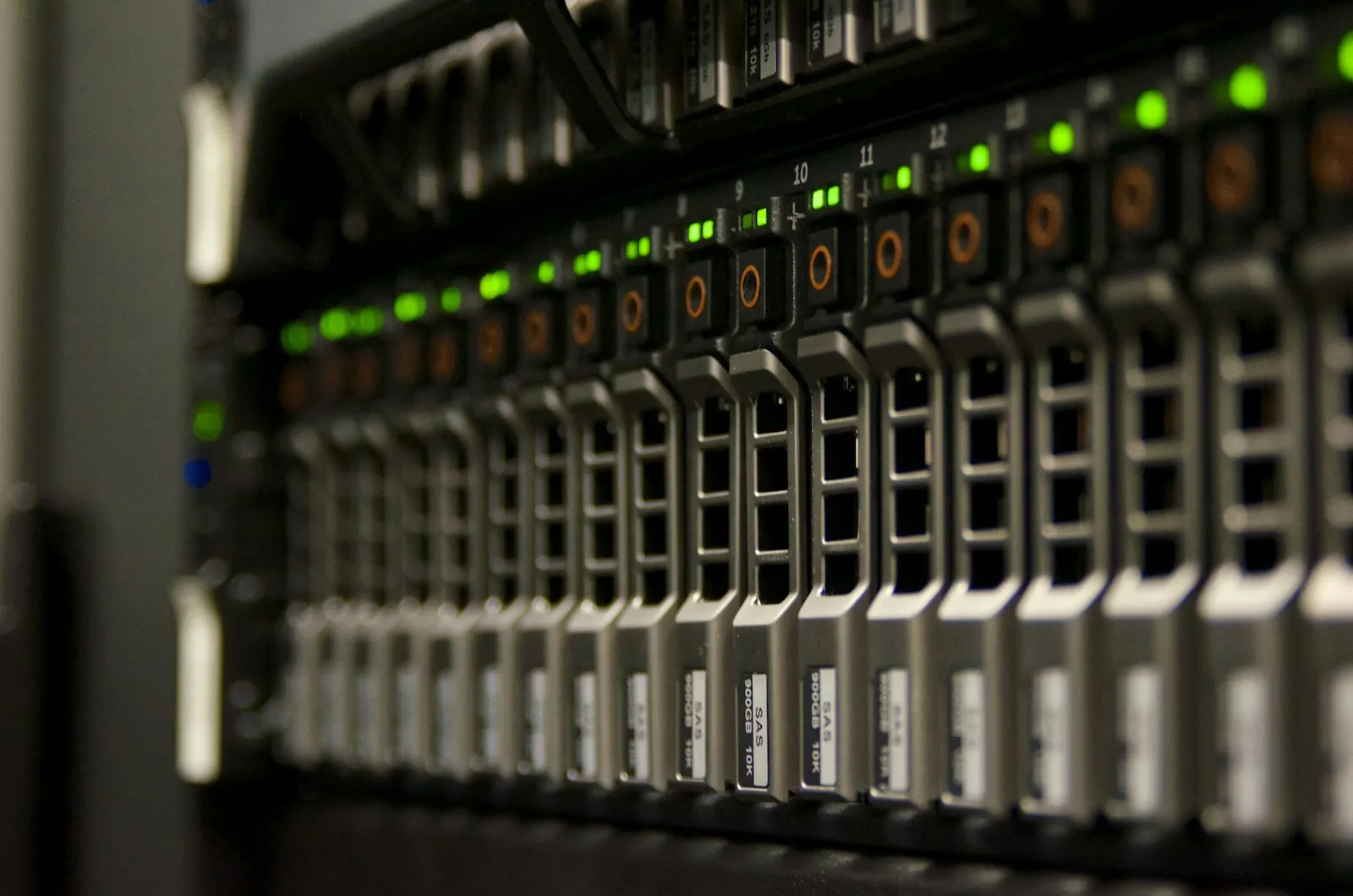
We operate the emergency environment in data centers run by German providers, keep the data store current, monitor the source catalog and deal with whatever goes into quarantine. You keep the decisions: what is protected, who releases and what is written back. The route for organizations whose IT is stretched as it is.
The suite runs on your side, outside the Microsoft cloud. It makes sense when your rules require that nobody but you has access to the second data store, or when you run a data center of your own anyway. The effort for monitoring and exercises then sits with you.
The same separation applies in both cases: your own sign-in with MFA, your own permissions, your own storage, your own keys. An emergency environment that relies on the Microsoft sign-in would be just as unreachable in an emergency as the system it is meant to replace.
Independence
The external data store holds no proprietary images, but versioned originals with provenance and checksum. No file format of our own ties you to us.
Who changed what and when, and on which starting version, remains traceable. How the data store and the journal are handed over in the event of a change of provider is set out in the contract. For an audit, the journal is often more important than the data itself.
The decisions from the continuity check, the roles, the agreed times and the exercise records are your documents. They describe your organization, not our product, and remain valid even if you replace the suite.
Getting started

The focus is above all on financial service providers with DORA obligations, NIS2 entities, associations and chambers, education providers and the public sector.
What we need from you for this: someone who really knows the processes — usually not from IT but from the business side. The question of which work would come to a standstill cannot be answered from a list of systems.
Honestly
In normal operation Microsoft remains authoritative. The suite is built for the outage, not for everyday work.
Automations, plug-ins and workflows from Dynamics do not run during contingency operation. What is safeguarded are agreed data and working steps.
The scope of protection, the maximum data age and the recovery time are set with you for each source. There is a window between two transfers. Data from that window may still be missing during an outage.
Setting it straight
“Microsoft backs up our data anyway.”
Microsoft secures the platform. Under the shared responsibility model, your data, accounts and identities remain your responsibility. That is not hair-splitting: a deleted record, a faulty mass update or a taken-over account are events on your side of the line — and the availability of the platform does not help you with them.
“An outage lasts a few minutes.”
The availability commitment in the Microsoft SLA is 99.9 percent per month for Exchange Online, SharePoint Online and Teams. That works out at around 45 minutes per month and around 8.8 hours per year — our own calculation from the SLA, not a measured downtime. What does not follow is that longer outages are ruled out: an outage lasting more than half a working day does breach the commitment, but it does not make your work possible again. You should plan for the case that bursts the commitment, not for the one it covers. How wide the gap between commitment and reality can be was visible on 12 and 13 November 2026: a malfunction in Microsoft 365 affected Exchange Online, Teams, SharePoint and Microsoft 365 Copilot from Thursday afternoon into Friday afternoon. Microsoft attributed it to a technical fault in connection with a network capacity upgrade, not to an attack, and reported the service as restored only on the following day; according to the status information, Azure was not part of the incident. Microsoft’s final post-incident report was not yet available when this page was last updated.
“We have a backup, so we are prepared.”
A backup answers the question of how you get back to the previous state afterwards. It does not answer what your people work with while the outage lasts. Both are needed; it is just that neither replaces the other.
“We have a contingency plan.”
A plan that has never been rehearsed is an assumption about your own organization. Exercises regularly reveal the same things: that the list of people authorized to decide is out of date and that a critical source was not in the scope at all.
“This only affects large corporations.”
The obligations follow sector and size, not fame: NIS2 covers essential and important entities in a range of sectors, DORA covers financial entities and their ICT service providers. Independently of that, a simple sentence applies: the more of your day-to-day business sits in a cloud, the larger the part of your organization that stops when it does.
Choosing
These points apply regardless of which solution you choose. We name them because they are regularly missing from tenders and proposals — and because a contingency operation that leaves one of them out breaks at exactly that point when it matters.

How the Continuity Suite answers these eight points is set out on this page — including the section on what it is not.
Related
What NIS2 requires of management and IT — and how business continuity, backup and recovery can be evidenced.
Read more →Target picture, scope and operating model for your Microsoft landscape — before contingency planning is built on top of it.
Read more →Operation, maintenance and further development of your applications — the framework in which contingency operation is rehearsed regularly.
Read more →Software that belongs to you and keeps running without us — the same stance the Continuity Suite grew out of.
Read more →Who may see which data, and what has to be contractually agreed — the questions that come up again with a second environment.
Read more →Microsoft partner since 2007, based in Offenbach am Main — who stands behind the Continuity Suite.
Read more →Frequently asked questions

It is that too, but not only that. A backup restores data once the outage is over. With the Continuity Suite your teams carry on working during the outage, and changes to records and documents flow back afterwards after review.
No. In normal operation Microsoft remains authoritative. The suite only steps in during an outage, and only for agreed processes.
SharePoint, OneDrive, Exchange, Teams, Dynamics 365 / Dataverse, Azure storage and common databases. Which sources and processes are protected is your decision.
If we operate the suite as a managed service, your data sits in an environment separate from Microsoft, exclusively in data centers run by German providers in Germany; the recovery copy as well, at a second provider. If the suite runs in your own environment, you determine the location.
They are logged. After the outage, what has changed in Microsoft in the meantime is checked. Conflicts are shown, and only approved changes are written back.
Yes, via a separate emergency address for receiving and sending. Your previous mails remain readable in the archive.
The suite supports your continuity and exit planning with a practiced, documented contingency operation. Whether you meet your obligations with it is assessed by you and your auditors.
You have the choice: as a managed service, arades operates the suite for you. Alternatively it runs in your own environment outside the Microsoft cloud.
Yes. A backup restores the previous state once the outage is over; the Continuity Suite carries the work while it lasts. The two answer different questions, and neither replaces the other.
Then only that area is switched over. Healthy systems remain authoritative, and processes that are not affected keep running in Microsoft unchanged.
No. Automations, plug-ins and workflows from Dynamics 365 do not run during contingency operation. What is safeguarded are the agreed data and working steps, so that your teams can keep working.
DORA expressly requires tested plans; under NIS2, maintaining operations is one of the required measures. At what interval you rehearse is set out in your continuity documentation. From practice we recommend at least one exercise a year and an additional one after every major change to your Microsoft environment.
Documents can be searched, opened and downloaded, and the changed version can be uploaded again; the new version stays assigned to the case. Editing in the browser is not possible.
Only the people you give permissions to. Database, storage, search, keys and logs are separated per tenant, and separate, minimal permissions apply to reading, administration and writing back. If we operate the environment as a managed service, our access too is bound to these roles.
The source catalog continuously compares what should be protected with what actually arrived, and flags gaps. A source that has delivered nothing for days is noticed that way, before the emergency needs it.
That depends on the scope. We deliberately start with a single, representative process: it can be protected completely and rehearsed in a test outage before further sources are added. We set the schedule with you after the continuity check.
First step
The check is a joint stocktaking, not a sales appointment. At the end there is a list you can keep working with even if you decide against the Continuity Suite.
If you are bound by regulation, we additionally map the points to the requirements you have to evidence — for NIS2 business continuity and crisis management, for DORA business continuity and exit plans. The assessment of whether your obligations are met with it remains with you and your auditors.
Continuity check
Find out before it matters. In the continuity check we show you which processes are critical and what your contingency operation looks like.