Sociogram for Dynamics 365 · Connection & Relation Map
Sociogram makes the connections and native relationships of a record in Microsoft Dynamics 365 visible — as an interactive Connection & Relation Map, editable by drag-and-drop and shareable as a PDF. Right inside the form or as a standalone app. No code, in your own environment, in the user's language. Because Sociogram uses the platform's native connections, it runs in any standard Dataverse environment (Dataverse for Teams excepted) — including model-driven Power Apps, with no paid Dynamics 365 app required.
Contacts, companies, cases and their connections as an intuitive relationship network instead of flat subgrids – view, edit and share without leaving your Dynamics 365 form. Whether you call it a connection map, relation map, relationship diagram or network diagram: Sociogram makes the connections behind your data visible as an interactive graph – in the style of an org chart, but for any tables.
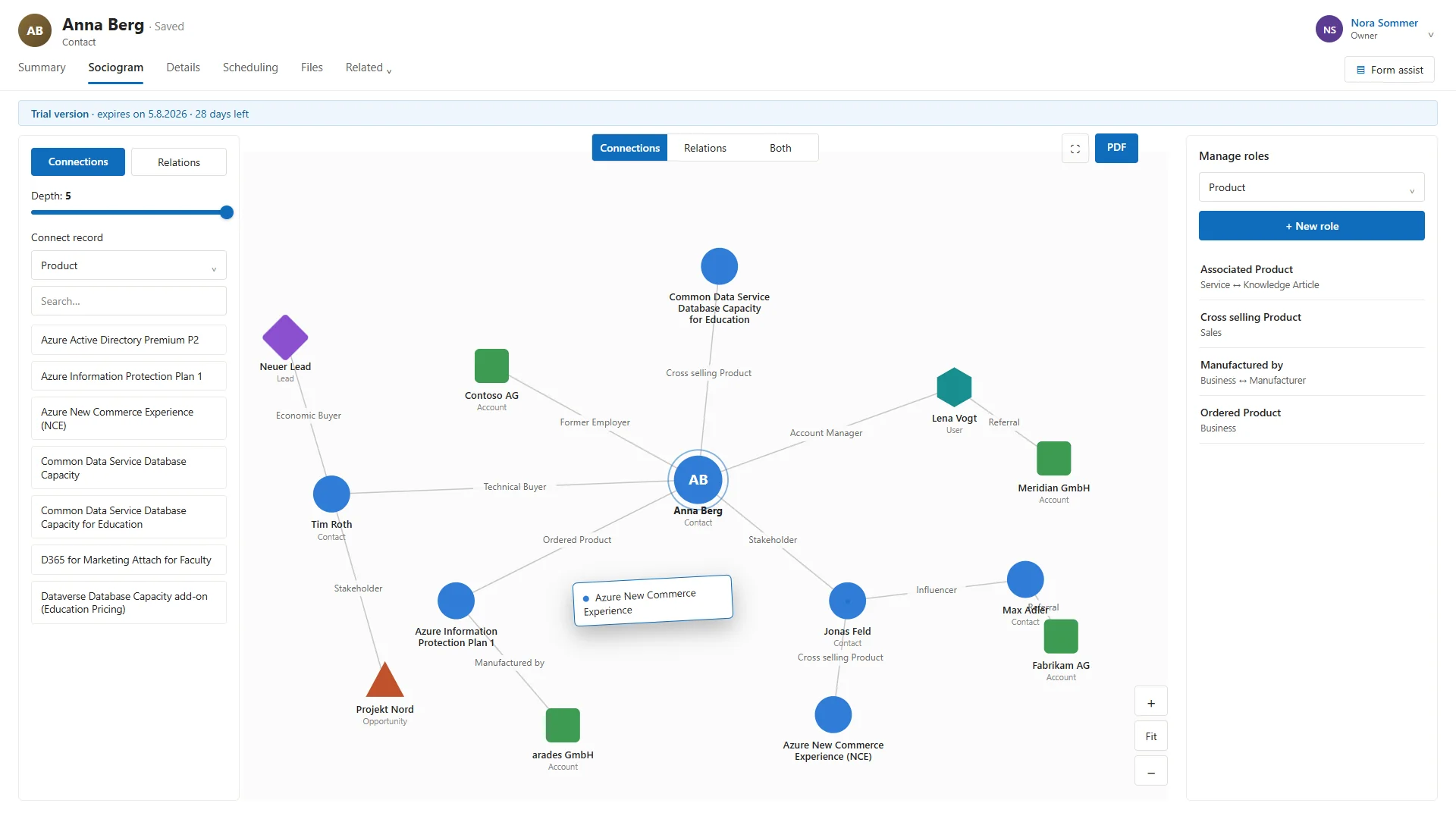
Drag a record from the palette onto a node and pick the role – done. You change or delete connections with a click on the edge. In the role cockpit you manage all roles per table and create new ones in seconds. You can trace networks across up to five levels.
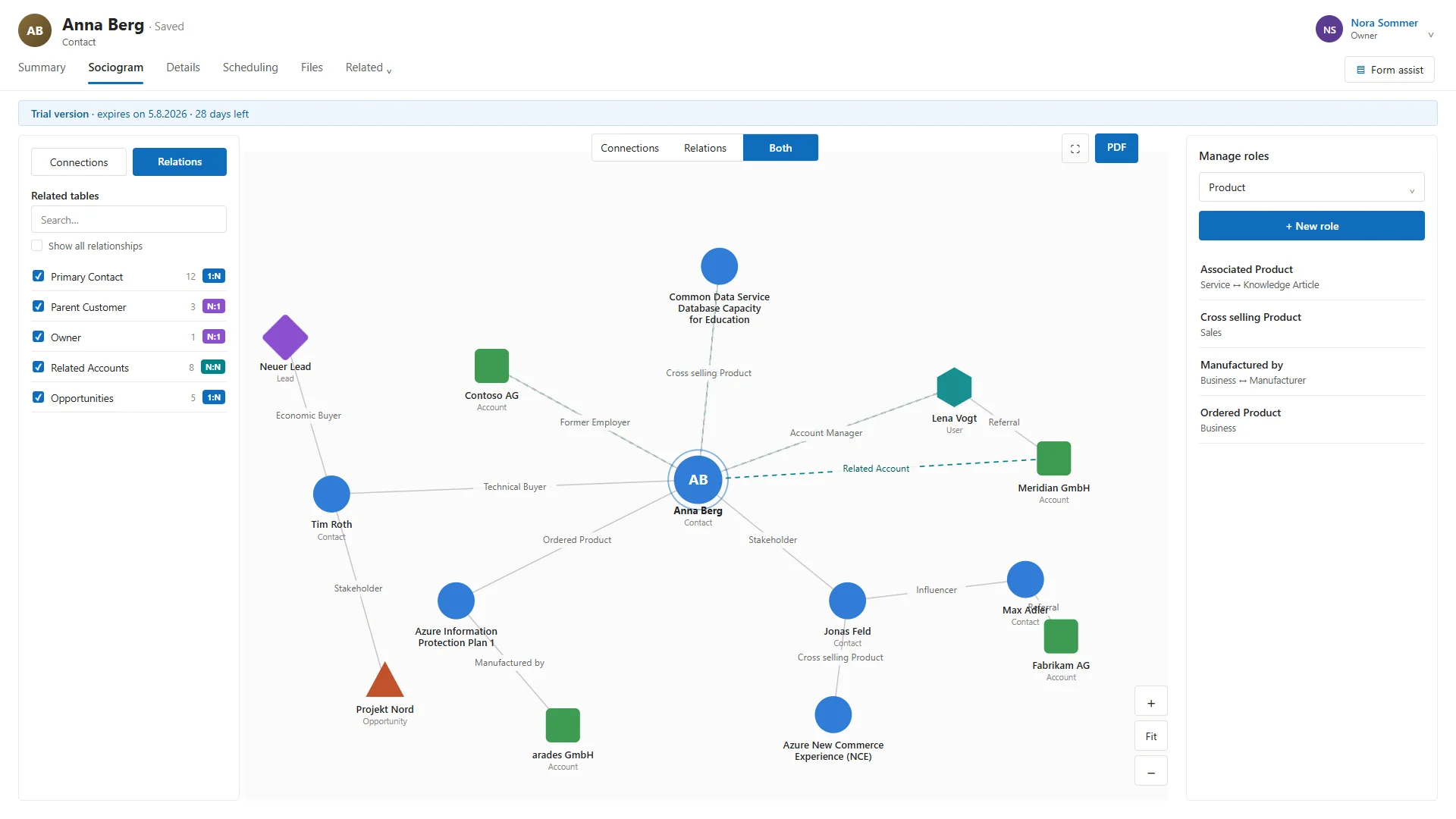
Sociogram automatically finds all related tables and lists them with their relationship type – 1:N, N:1, N:N – and record count. Relationships with records are pre-selected; you show or hide them with a click. Connections and relations can be displayed together on one map.
Zoom, arrange nodes freely, go full-screen – and export any view as a PDF with a single click, for a meeting, report or customer. Shape and color indicate the table type, record images appear as avatars.
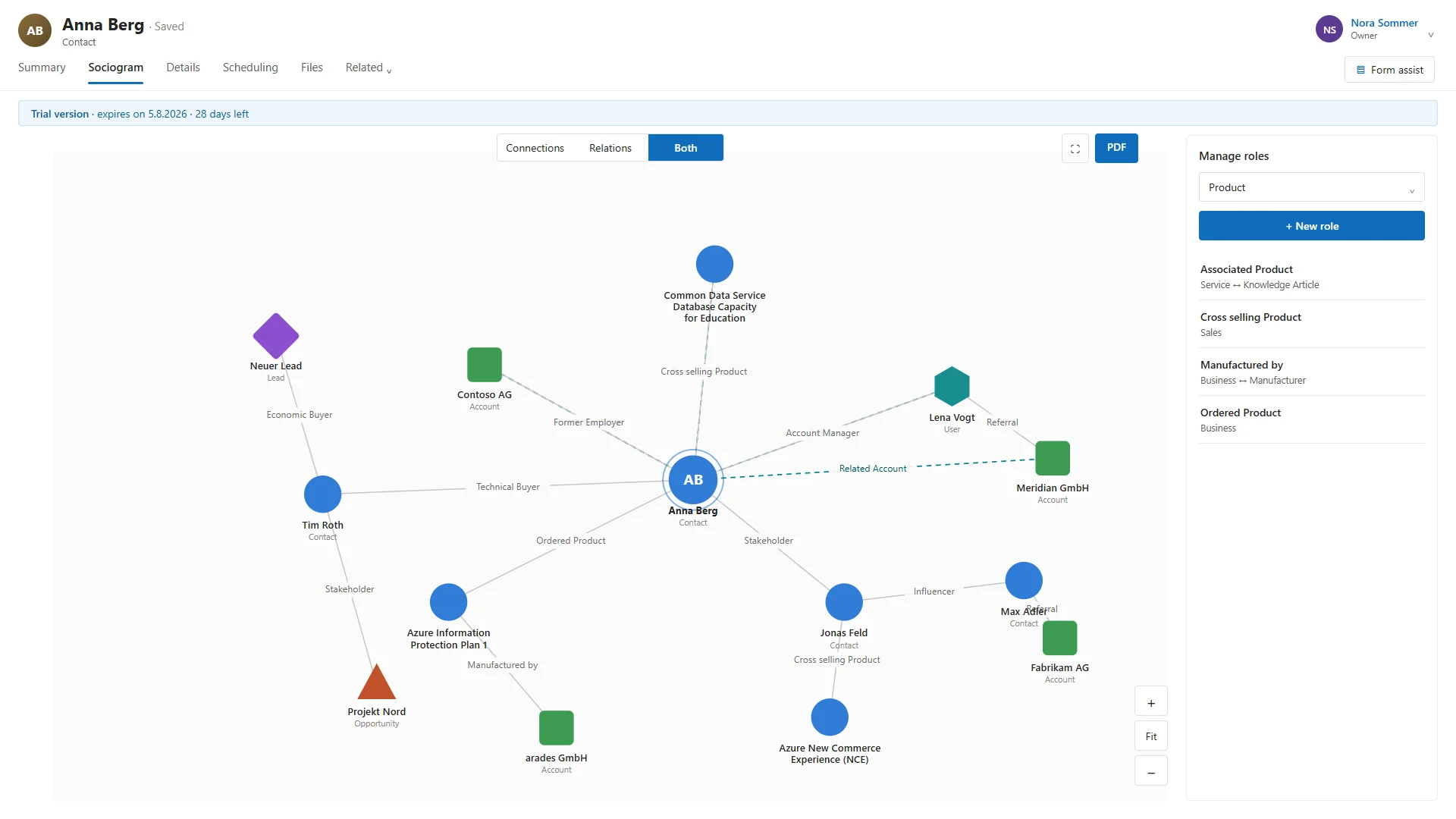
The connections and relationships of a record as a living map – freely movable.
Manage all connection roles per table, create new ones, maintain reciprocal roles.
Every view shareable with one click – for meetings, reports and customers.
Interface automatically in German, English or French.
Runs in your environment, respects existing security roles.
As a standalone app and as a component on any table form – one solution.
A single solution download contains everything: the control, the server-side check, the app, and the web resources.
Managed solution – imported into your production, test and development environments.
Usable entirely without a form: the Sociogram app comes with its own record selection.
Activate Sociogram with the same license key in your production and up to two sandbox environments. You handle the trial start and environment management on the configuration page in the app; the license key comes from us.
Live use for your team.
Sandbox for signing off on changes.
Sandbox for customization and development.
Sociogram displays the connections and native table relationships of a record as an interactive network diagram – right inside the Dynamics 365 form or in a standalone app, with no code at all.
Connections are role-based relationships between any records – such as "Stakeholder" or "Account Manager". Native table relationships are the 1:N, N:1 and N:N relationships of the data model. Sociogram shows both – individually or together on one map.
Yes. Related tables are detected automatically and shown with their relationship type (1:N, N:1, N:N) and record count; relevant relationships are pre-selected and can be shown or hidden.
You can create connections by drag-and-drop, change roles and delete connections – including a role cockpit for management. That is exactly what sets Sociogram apart from pure viewers.
No. Installation is done via a solution import, and embedding it in the table form is a matter of a click. As a standalone app, Sociogram is ready to use right away.
Both work. Connections and connection roles are native parts of Microsoft Dataverse, not of a paid app. Sociogram therefore runs in any standard Dataverse environment (Dataverse for Teams excepted) – in Dynamics 365 as well as in a standalone model-driven Power App. All you need is a Dataverse access license (Power Apps or Dynamics 365).
One license covers one production plus two sandbox environments (test and development). We send you the license key, which you enter on the configuration page in the app.
Sociogram unites these perspectives: it shows your Dynamics 365 data as a connection map and relation map, as a relationship diagram or network diagram – and in the style of an org chart, but not limited to hierarchies, instead covering connections, roles and any table relationships.
Full feature set in every plan – billed by interactive users in your environment. Production, test and development included.
More than 200 users, individual terms and onboarding – tailored to your organization.
All prices net, plus VAT · Billed by interactive users · Free 30-day trial · monthly term
Free 30-day trial
Request your 30-day trial. We will get in touch personally, briefly check your environment and provide the solution (ZIP) and the installation guide (PDF). The trial runs in your own environment.
Ready for the view behind your data?
Request a free 30-day trial — it runs in your own Dynamics 365 environment, with no risk and no major installation effort. Or book a 30-minute demo and we'll show Sociogram on your own relationships.
×
×
Request trial